Organization Auth Tokens
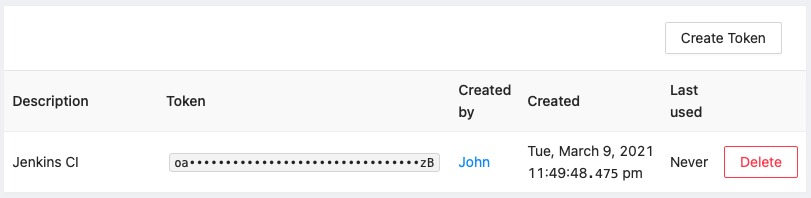
Organization Auth Tokens allow access of the organization's resources for automation. They can be accessed and managed by Organization Admins at Admin → Organization Auth Tokens.
If your organization enforces SSO, Organization Auth Tokens are the only mechanism that allow to access organization resources through the API. User API Keys will not work.
Creation
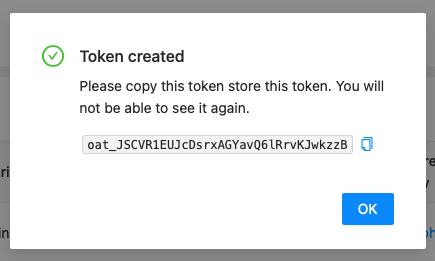
Organization Admins can create new tokens via the Create Token button. They will be prompted to enter an optional description. After that, they are shown the token and should store it somewhere safe.
Usage
Organization Auth Tokens can be used with Bearer authentication:
curl -H "Authorization: Bearer $ORGANIZATION_AUTH_TOKEN" https://api.memfault.com/api/v0/organizations/<ORG_SLUG>/projects
Rotating your Organization Auth Token
If your Organization Auth Token is compromised, lost, or needs to be rotated, Organization Admins should first generate a new token from Admin → Organization Auth Tokens, update and verify any integrations using it, and only then delete the old token.
Deleting the old token breaks existing integrations immediately. The old token is invalidated instantly upon deletion - there is no grace period. Any backend services using the old token will begin receiving HTTP 401 Unauthorized responses immediately.
Safe rotation procedure:
- Generate a new Organization Auth Token at Admin → Organization Auth Tokens → Create Token
- Store the new token in your secret manager
- Update and redeploy all backend services to reference the new token
- Verify API calls succeed with the new token
- Delete the old token via the Delete button on the token list page
Deletion
Organization Admins can delete tokens via the Delete button. Any automation (or user) that uses that token will lose access.