September 2026
Highlights
Saved Search Alerts
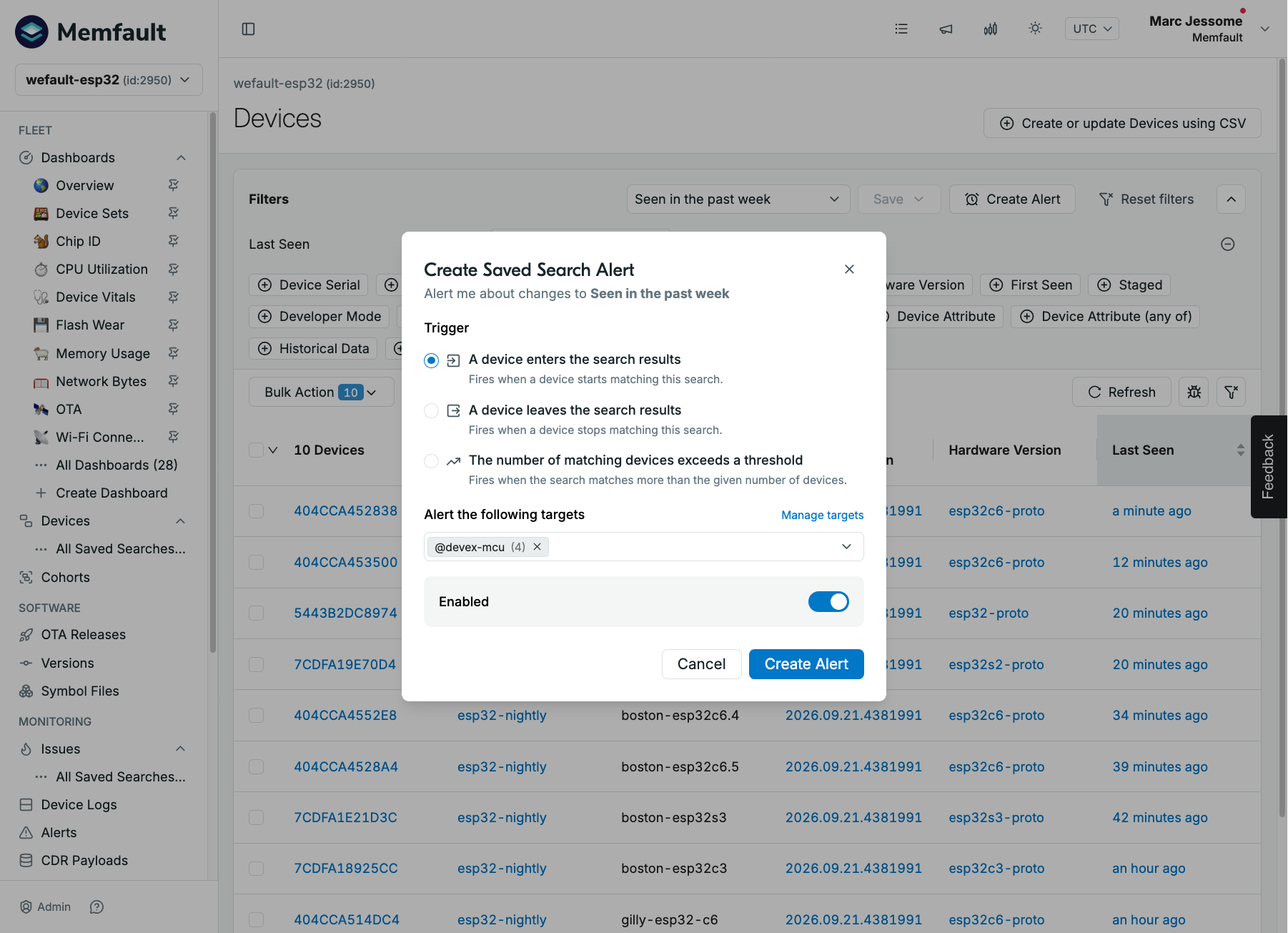
Saved device and issue searches can now trigger alerts. Choose whether to be notified when a device or issue enters the search results, leaves them, or when the number of matches exceeds a threshold you set. Notifications go to the same email, Slack, and webhook targets used by your other alerts, and enter/leave alerts link straight to the devices or issues that triggered them. Manage every saved search alert - including editing and disabling them - from the new Saved search alerts view on the Alerts page.
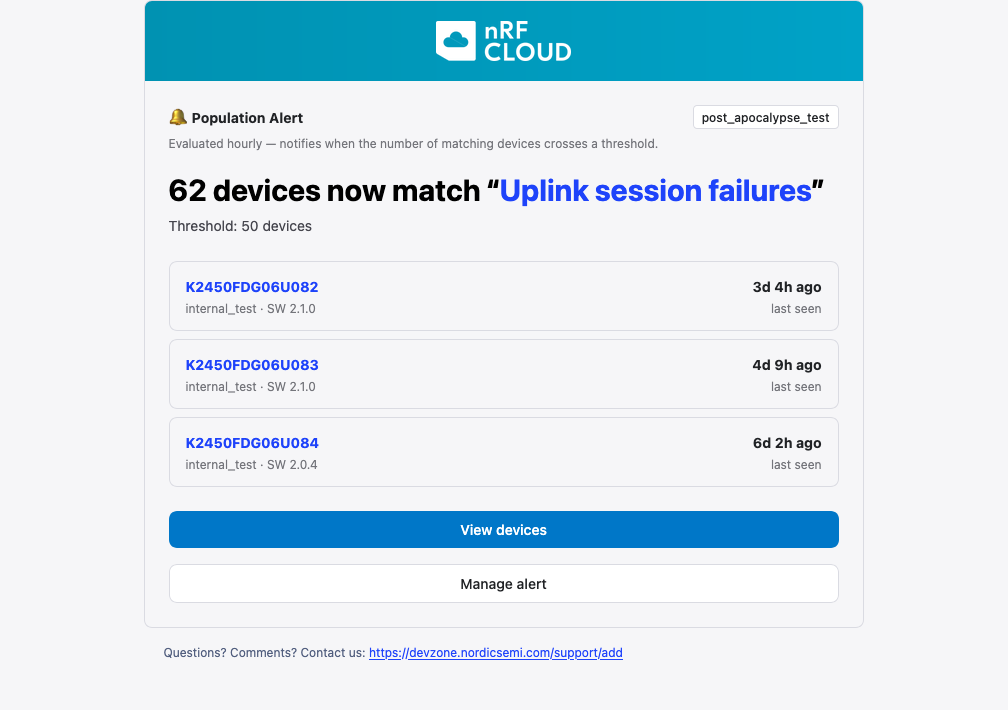
Threshold alerts arrive as a summary of the matching devices or issues, with links to view them and to manage the alert.
Saved issue searches also get a new dropdown selector on the Issues page, like the one on the Devices page, with save, rename, delete, and favorite actions moved into the menu.
OTA Workflow and Release Health
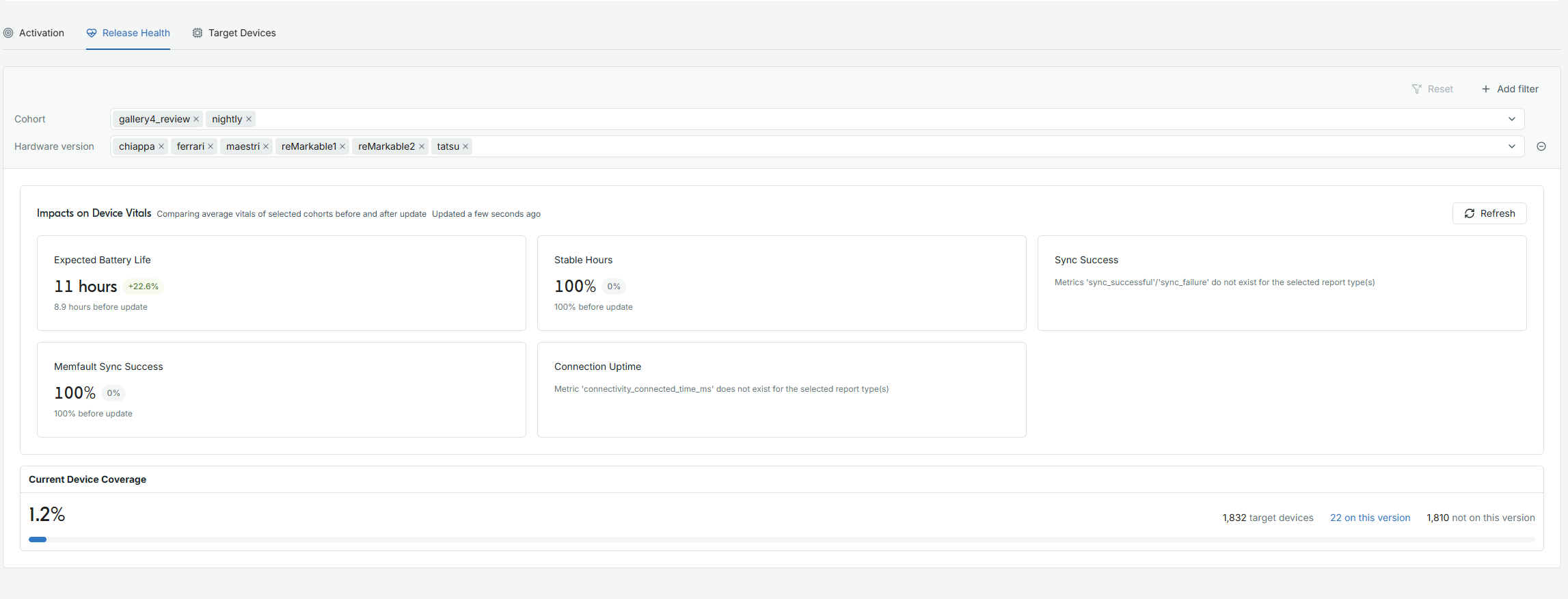
The OTA Releases pages have been updated to help you follow what a release does to your fleet after you activate it. The Releases table shows which cohorts each version is activated on, its device coverage, and when it was last activated and last installed. A new Release Health tab on each release compares device vitals such as expected battery life and sync success before and after the update, and shows how much of the target fleet is on the new version. You can pick which vitals tiles to show, and jump to a side-by-side software version comparison for the details. The Target Devices tab splits out devices that went offline before the rollout reached them, so they don't read as failed updates.
OTA Releases has a Columns button on the Releases table to show or hide optional columns, an "Add Note" banner on release details, and an Abort action next to Edit when activating by cohort. If a must pass through release has no artifact for a device's hardware version, the device is now shown as blocked rather than "On Target Version".
General
-
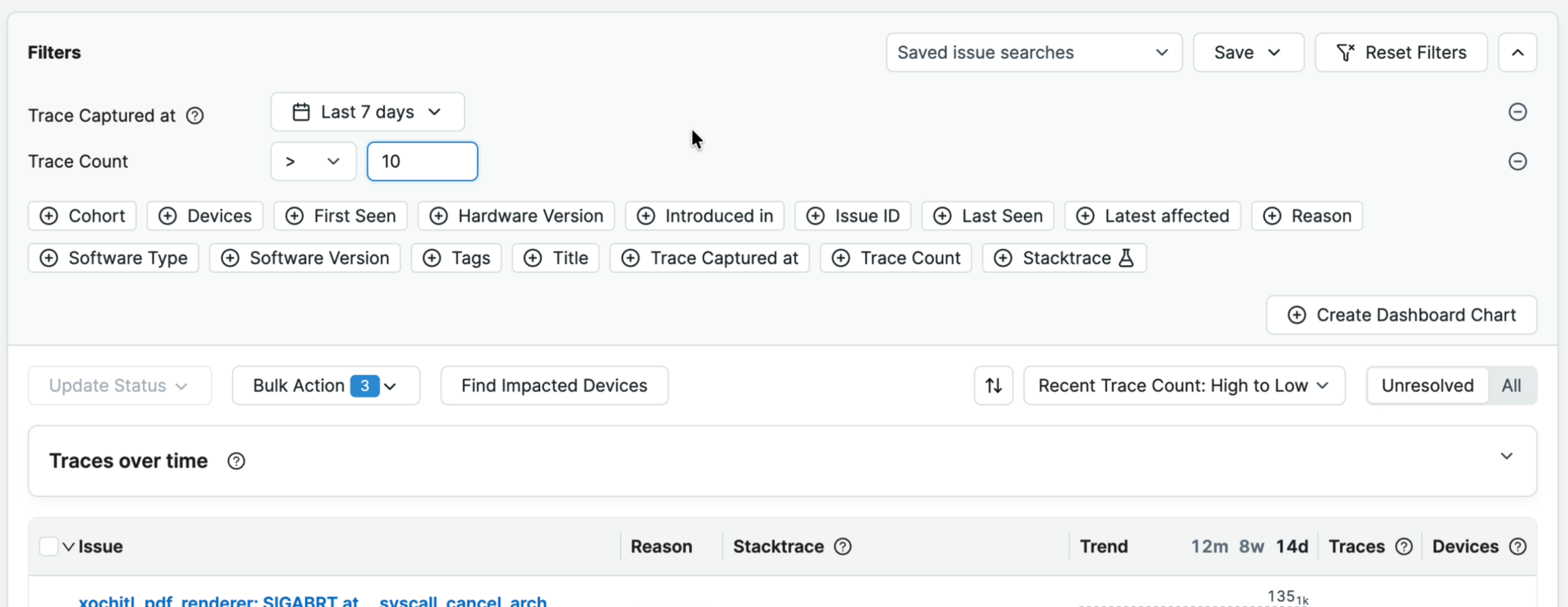
Issue search has several new filters: Trace Count (which, combined with the Trace Captured At range, finds issues that have recently been spammy), Trace Type (Coredump or Trace Event), and Missing Symbols. Trace Count also works with saved search alerts to notify you of escalating issues.
-
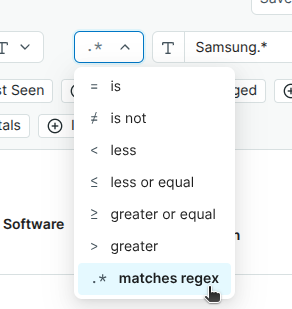
Device search has a new Device Attribute (any of) filter that matches devices whose attribute equals any one of several values, and string attribute filters accept a regex - for example, for matching every phone from one
-
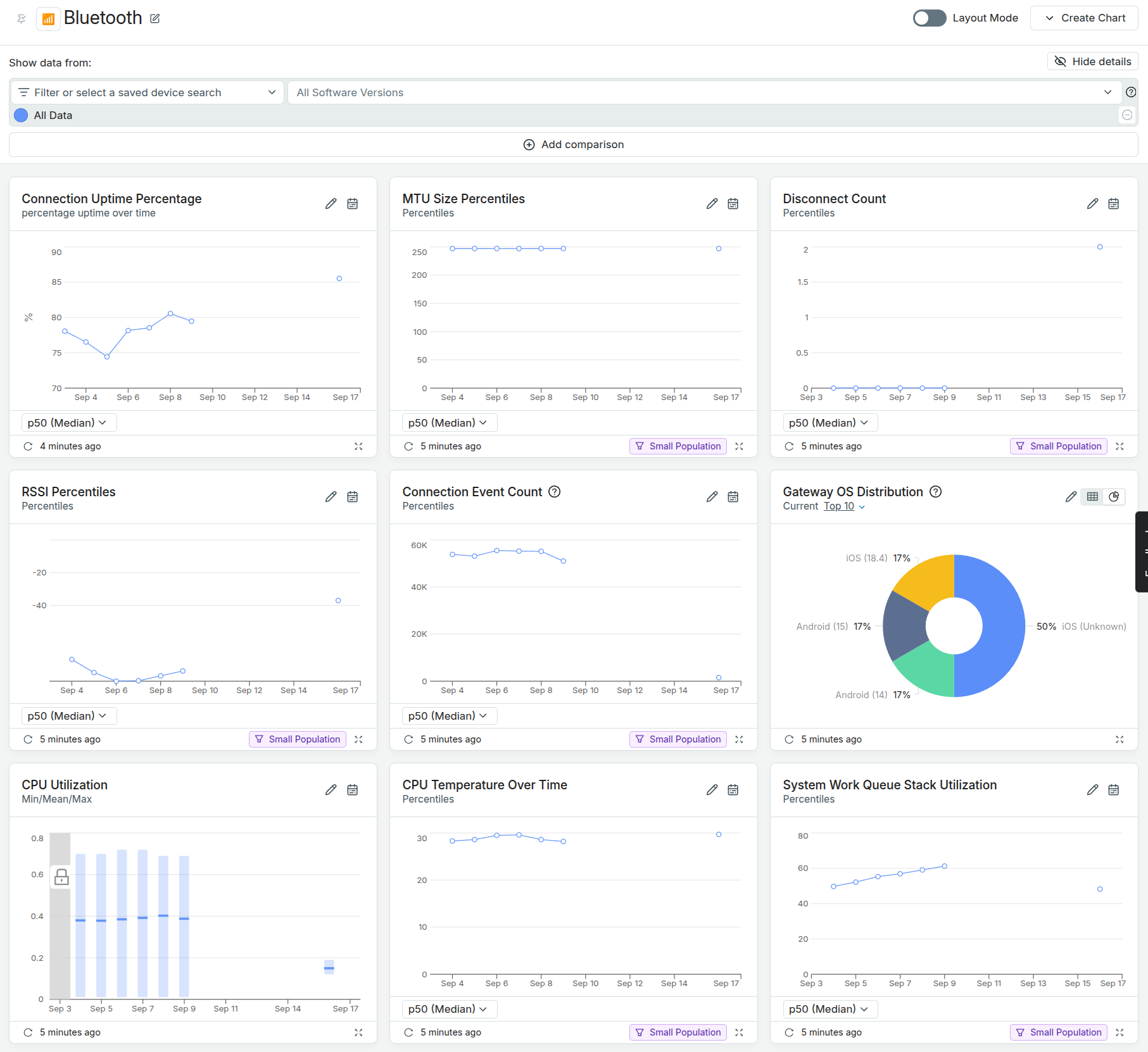
New nRF52, nRF53, and nRF54 Series projects now get a default Bluetooth dashboard in place of the generic Connectivity dashboard, with connection uptime, RSSI, MTU size, disconnect counts, and gateway OS distribution out of the box. Any project can also add it from the Bluetooth template in Create Dashboard.
-
Bluetooth disconnect reasons show up as readable names in a new
bt_conn_disconnect_reasonmetric, decoded from the raw HCI error codes reported inbt_conn_disconnect_reason_code. Learn more about these built-in Bluetooth metrics on the MCU Built-In Metrics documentation -
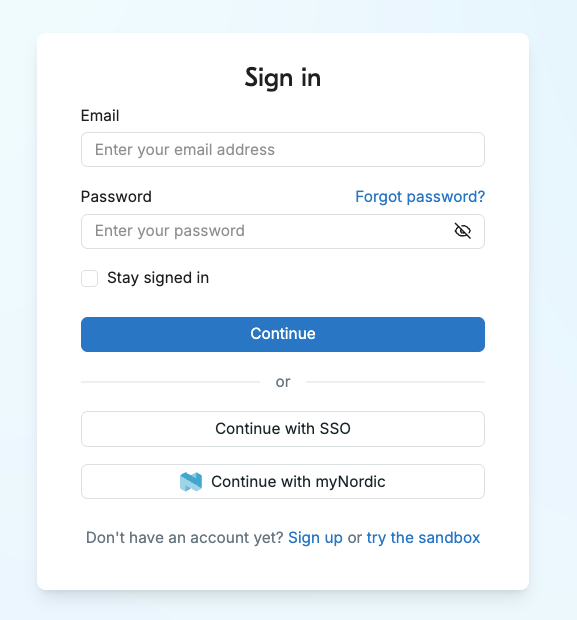
Login: We have updated the look and feel of the login screen.
- Alerts now sort the current user to the top of the notification targets list, and the Slack webhook URL on the External Targets page is hidden until you edit the target.
- Enterprise billing: organizations on the built-in Memfault Enterprise plan now see a simplified billing pane showing their plan.
- The support menu now has a "Give us feedback" item.
Device SDK Updates
MCU: [1.45.0] - 2026-09-25
See the full MCU SDK changelog.
- Added Power Management state residency metrics on Zephyr, tracking time in
each notable PM state on platforms with
CONFIG_PM=y, enabled withCONFIG_MEMFAULT_METRICS_POWER. - Zephyr heap stats (
CONFIG_MEMFAULT_HEAP_STATS) now trackk_calloc()calls in addition tok_malloc()andk_free(). - Added support for full modem updates on Nordic cellular modems with
CONFIG_MEMFAULT_FOTA_FULL_MODEM_UPDATE=y. - Added
memfault_zephyr_fota_app_start()to trigger an application-only FOTA check without falling through to a modem check, plusmemfault_zephyr_fota_modem_get_download_url()to fetch the pending modem FOTA URL without downloading it. - Fixed a bug in the nRF Connect SDK CoAP FOTA client where a completed download blocked further FOTA attempts until reboot.
- Fixed the ESP-IDF component failing to build on ESP-IDF v6 and later.
- Removed Python 2.7 support from
scripts/memfault_gdb.py.
Android: [v5.11.0] - 2026-09-18
See the full Bort changelog.
- Added per-app disk write metrics for packages configured as significant apps, reporting both logical and physical bytes written.
- Added USB connector metrics (connection state, count, and duration) and, on Android 14 and later, USB compliance warning metrics.
- Reduced flash writes and CPU cost per collection: a cycle's metrics are committed in one SQLite transaction, high-res telemetry rollups are appended instead of rewritten, and preference writes are batched and deduplicated.
- Fixed large batched
.maruploads timing out, and a single corrupt.marfile permanently blocking uploads - both could leave a device unable to upload any data. - Fixed incorrect bytes-written values on stock Android kernels, and missing
flash wear metrics on UFS devices whose Health HAL doesn't implement
getStorageInfo.
Linux: [1.29.0] - 2026-09-25
See the full Linux SDK changelog.
- Added an opt-in zchunk delta OTA variant of the example image. Set
MEMFAULT_DELTA_OTA = "1"inconf/local.confto try it. - Fixed the free disk space check to use available rather than total blocks.
- Fixed premature MAR cleaning on filesystems that don't track inodes, such as UBIFS.
- Fixed A/B OTA failing after the first update on non-QEMU example machines.